
Coming up
Your recent work
Your trail assignment
Log your hours
Goes to the official 2026 BCTC Log — everyone checked gets the thank-you email with their year-to-date hours.
Trail stewards map
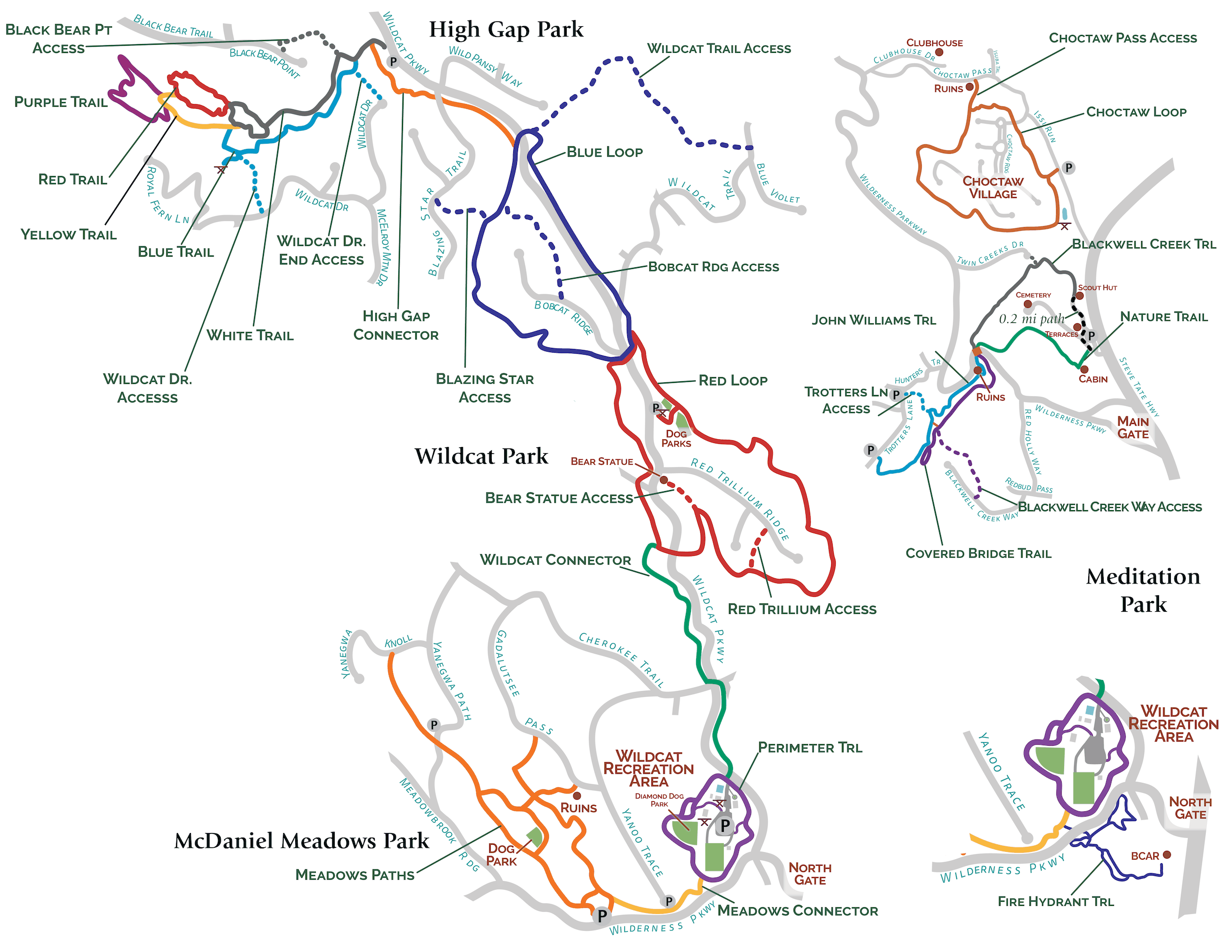
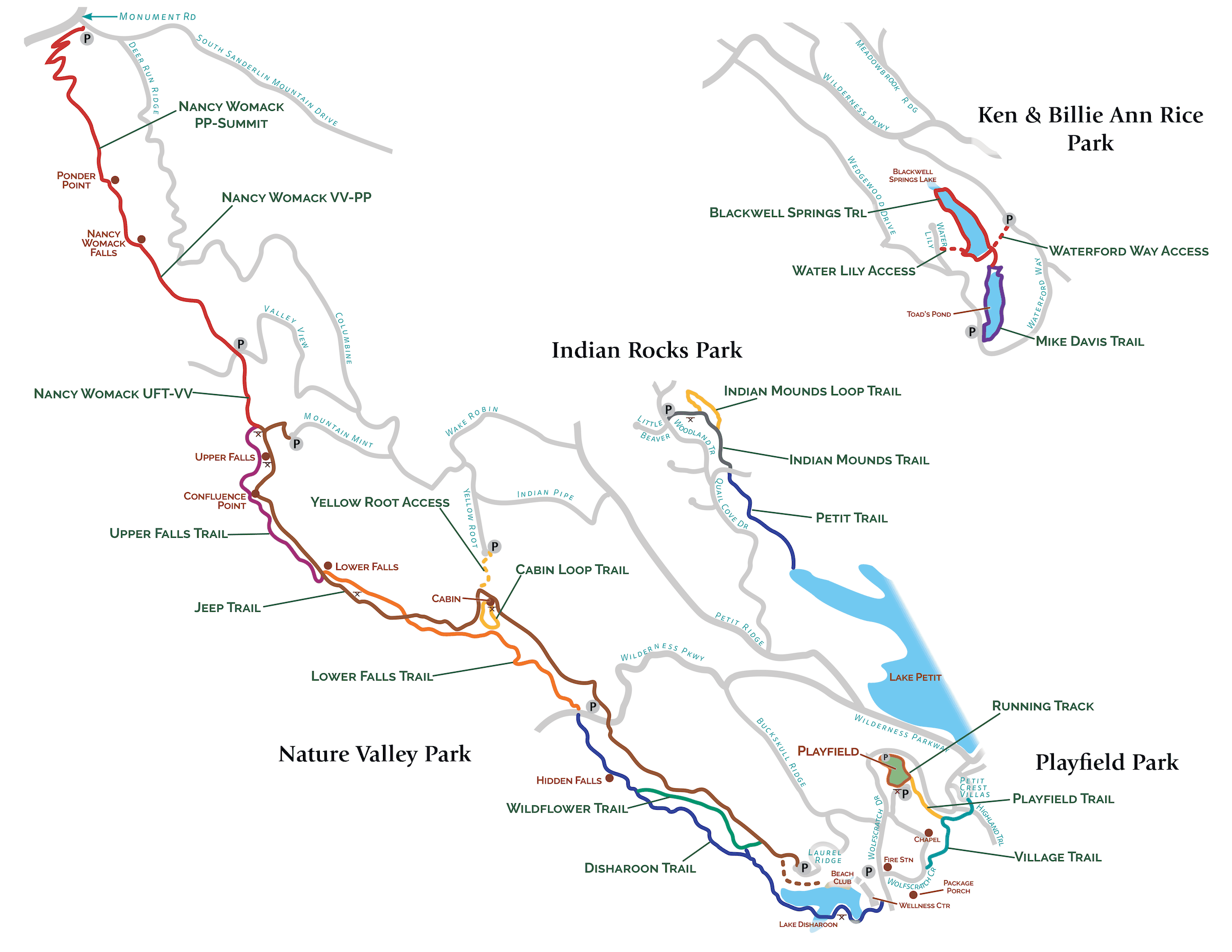
Steward names come from the Roster & Trails sheet with your app data. Maps are saved on your phone and work with no signal — tap one to open it full size.
Report a trail problem
Goes straight to the trail's stewards plus Liz & Mitch.
Not sure where it was? Pick "Not sure" and Liz & Mitch will route it.
Borrow Pit
Where the committee keeps its tools and supplies. The gate is usually unlocked during working hours — the code is for early starts, late finishes, and weekends.
Coordinates and code are saved on your phone and show with no signal. Directions need a connection, and the roads out there aren't always mapped well — copy the coordinates before you leave if you're unsure of the way. Lock the gate behind you.
Notifications
Pings this device when a report comes in on your trail, the evening before an event you're going to, and if your trail goes 30 days without a check-in. Each device is separate — turn it on wherever you want the tap on the shoulder. Email keeps arriving either way.
Who's away
Traveling, jury duty, laid up — let the team know when you're unavailable. Your entry disappears by itself once the date passes.
Guides & reference
bigcanoetrails.com/membersRoster · ›
BC Trails
What's at the Pit
Check here before driving out — the list is saved on your phone and shows with no signal. Keepers' names are tappable: tell them when something's missing, broken, or running low.